Research, right beside your conversation
Before a meeting or a first reply, ask Grais to research the person you're talking to. It looks for public information about their professional background and work, and brings the findings into your conversation.
Follow the research as it happens, check the sources, and edit the report. It stays with the conversation, ready for the next time you need it. Grais asks for more details if it needs help identifying the person, and the report may be incomplete when public information is limited.
To get started, open the conversation overview, select “Research person”, and choose “Ask Grais to research this person”.
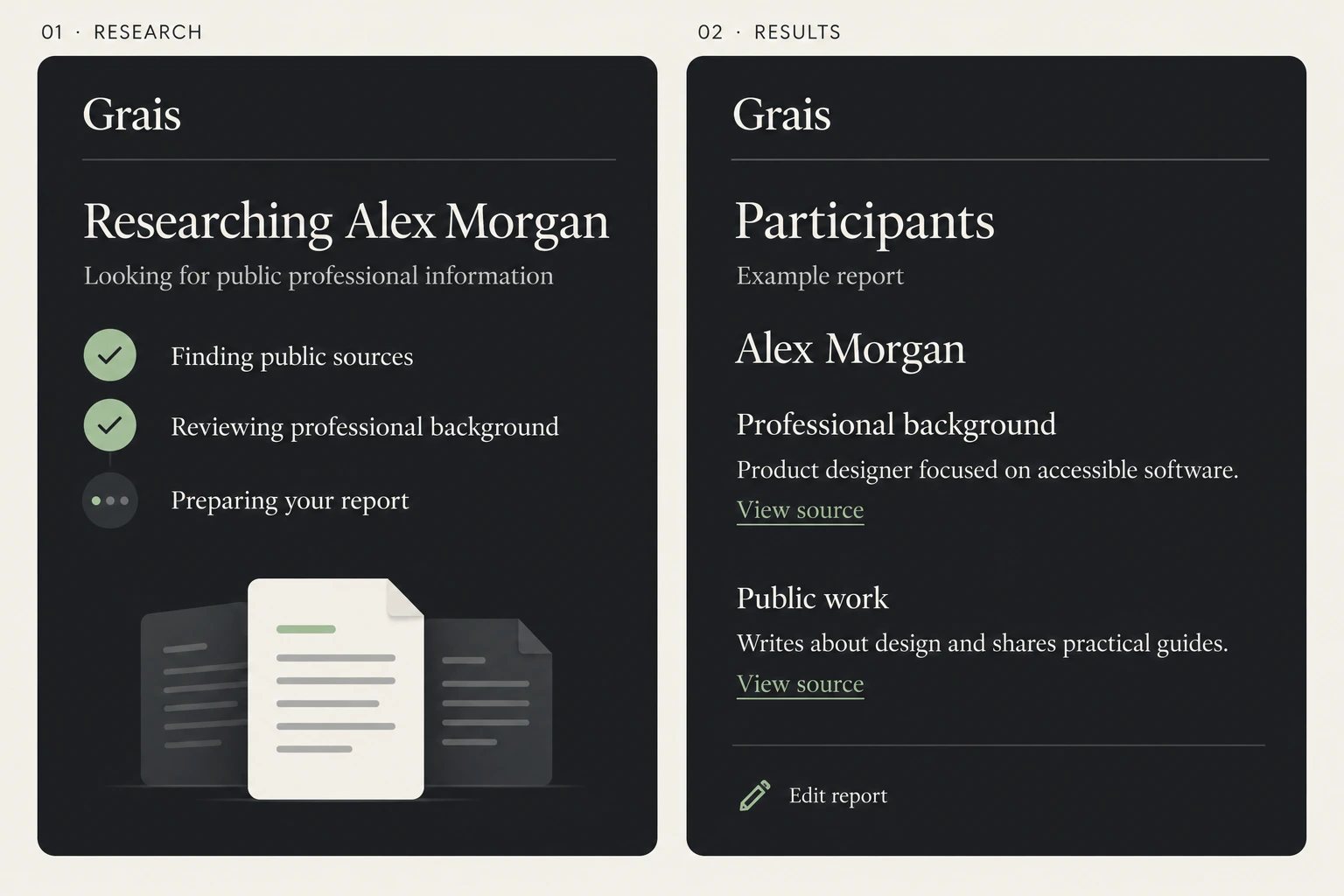
From public sources to a report you can edit. Illustrated with a fictional participant.
Discover & share personas and skills
Helping a customer choose a product takes a different approach from helping someone who's frustrated with it. In the new Grais Library, you can find personas and skills for those situations, then adapt them to your work.
Give Grais a goal and an approach to reaching it. A persona shapes how it behaves across a conversation. A skill gives it guidance for a task, such as handling an objection or writing a follow-up.
The psychology of a conversation matters here: what is the other person unsure about, what do they need to feel heard, and what are you trying to achieve together? You can guide Grais to ask before assuming, acknowledge frustration, or make the next step clear. Your setup tells it which approach to take and when to involve a colleague.
Ultimate Sales Closer
A prospect says, “It's too expensive.” Build a setup that helps you understand the concern before reaching for a discount. Add your product details, pricing, and examples of how you explain value. Guide Grais to ask about the customer's priorities and help them decide whether the offer fits. The goal: a confident decision and a clear next step.
Five-Star Customer Service
A customer has explained the same problem twice and is losing patience. Give Grais your help articles, return policy, and examples of replies you'd be proud to send. Guide it to acknowledge what's happened, explain the options, and recognise when someone on your team needs to step in. The goal: solve the problem and give the customer a reason to trust you again.
These are examples of setups you can create. Start with something from the Library, then make it yours in Profiles: change the instructions, add skills, upload files, and include reference links. Give Grais the tone, information, and priorities that fit your situation.
Save a persona as a profile, or add a skill to an existing one. Select the profile in the Chrome side panel under Settings → Conversation → Profile to use it in your conversation.
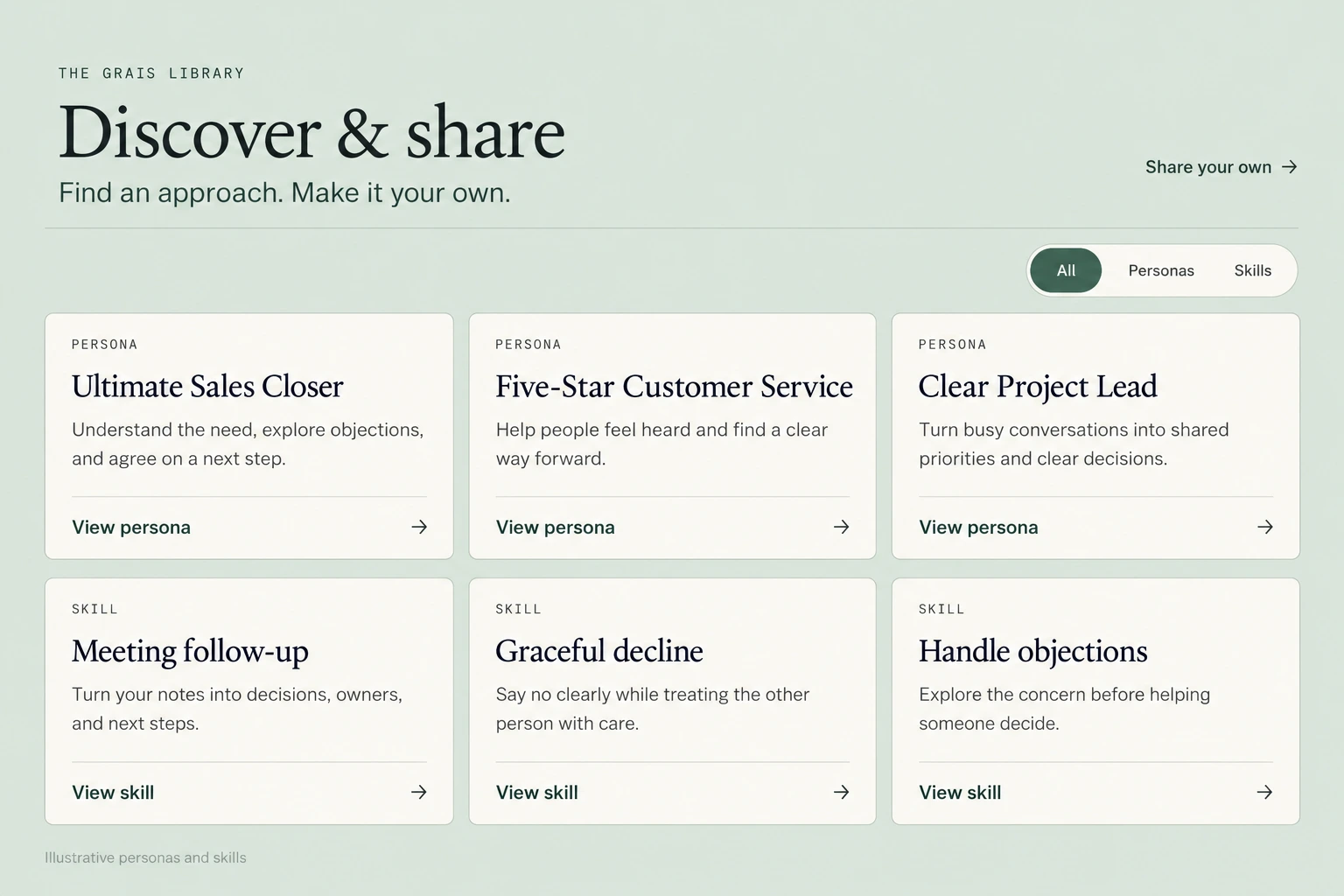
Illustrative personas and skills. Find an approach, add your sources, and make it your own.
Share what works for you
If you've created a persona or skill that works well, you can now share it from Profiles. Send an unlisted link to someone directly, or publish it in the library for others to discover.
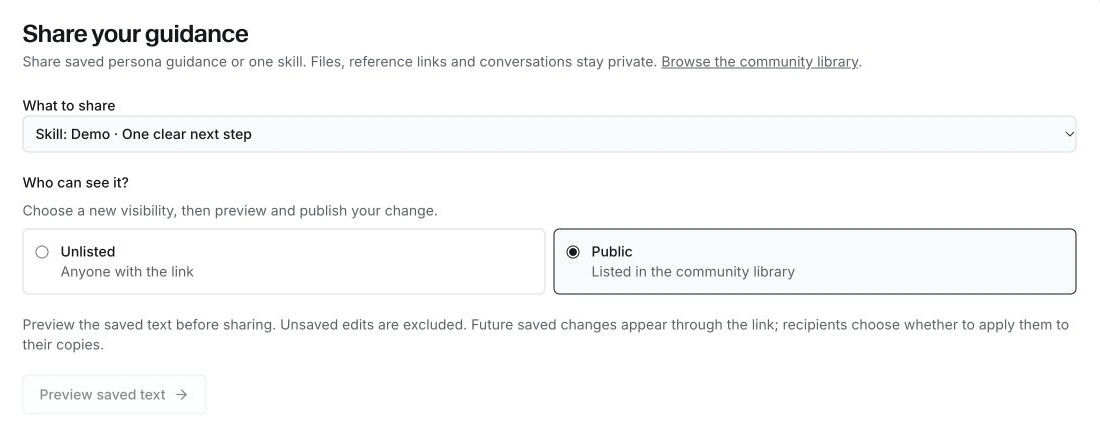
Share by link, or make your persona or skill available in the Library.
They get their own editable copy. When you improve the original, they can review and accept your update. Updates never apply automatically, and accepting one replaces the affected instructions, including any personal edits.
Sharing includes the instructions you choose to publish. Your uploaded files, saved reference links, and conversation history aren't included. If you stop sharing, people keep the copies they've already saved.
Also in this update
We've improved LinkedIn message capture, fixed an error when typing or pasting into research reports, and made the thinking indicator and activity rows easier to follow. Switching between supported environments is also smoother for testers, without a manual reload.
Chrome updates the extension automatically. You'll see the new features as the rollout reaches your account.